One B2B deal, from first conversation to onboarding and invoice
Rather than list features, this tour follows a single opportunity the whole way through — so you can see where each part of TotalDeal actually gets used, and what happens after Closed Won.
The scenario
Meridian Data sells a demand-forecasting platform to mid-market logistics companies. Six sellers, deals between $25,000 and $80,000 a year, and a 60-day implementation on every win.
Northstar Logistics is the prospect: 400 employees, currently forecasting in spreadsheets, and a VP of Operations who is tired of it.
Meridian Data and Northstar Logistics are illustrative examples used to show the workflow end to end. The screenshots are real TotalDeal screens.
1. Capture or import the account
Northstar's VP of Operations fills out the demo-request form on Meridian's website. The submission arrives as a lead with the company, contact details, and what they said they needed.
Leads arrive as records, not as email
Website-form submissions become leads automatically. Accounts you're targeting outbound can be imported from a spreadsheet or your previous CRM. Either way, the company and the people inside it are linked from the start, so every future task, document, and invoice attaches to the same relationship.
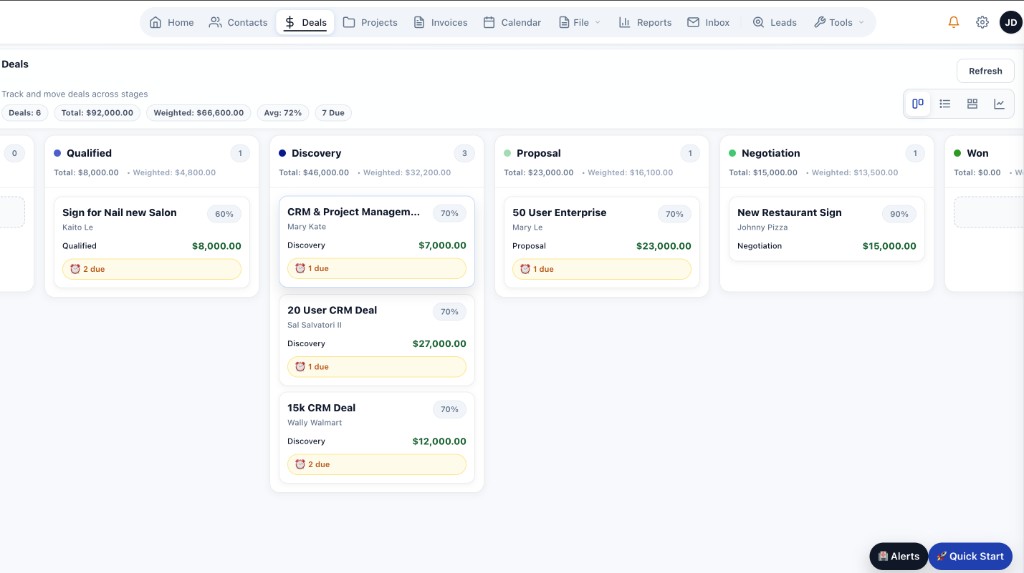
The deal board — every opportunity with an owner, a stage, and a next action.
2. Qualify the opportunity
On the first call, the rep confirms Northstar has budget approved for this quarter, that the VP is the internal sponsor, and that the trigger is a bad Q3 forecast. The opportunity is created at $48,000 annual plus $12,000 implementation.
Record what makes this deal real
Fit, budget, timing, and the reason they're looking now — captured as notes and fields on the opportunity rather than in a rep's head. Set the stage, the value, the expected close date, and the owner. Stages are yours to define, each with its own win probability that feeds the weighted forecast.
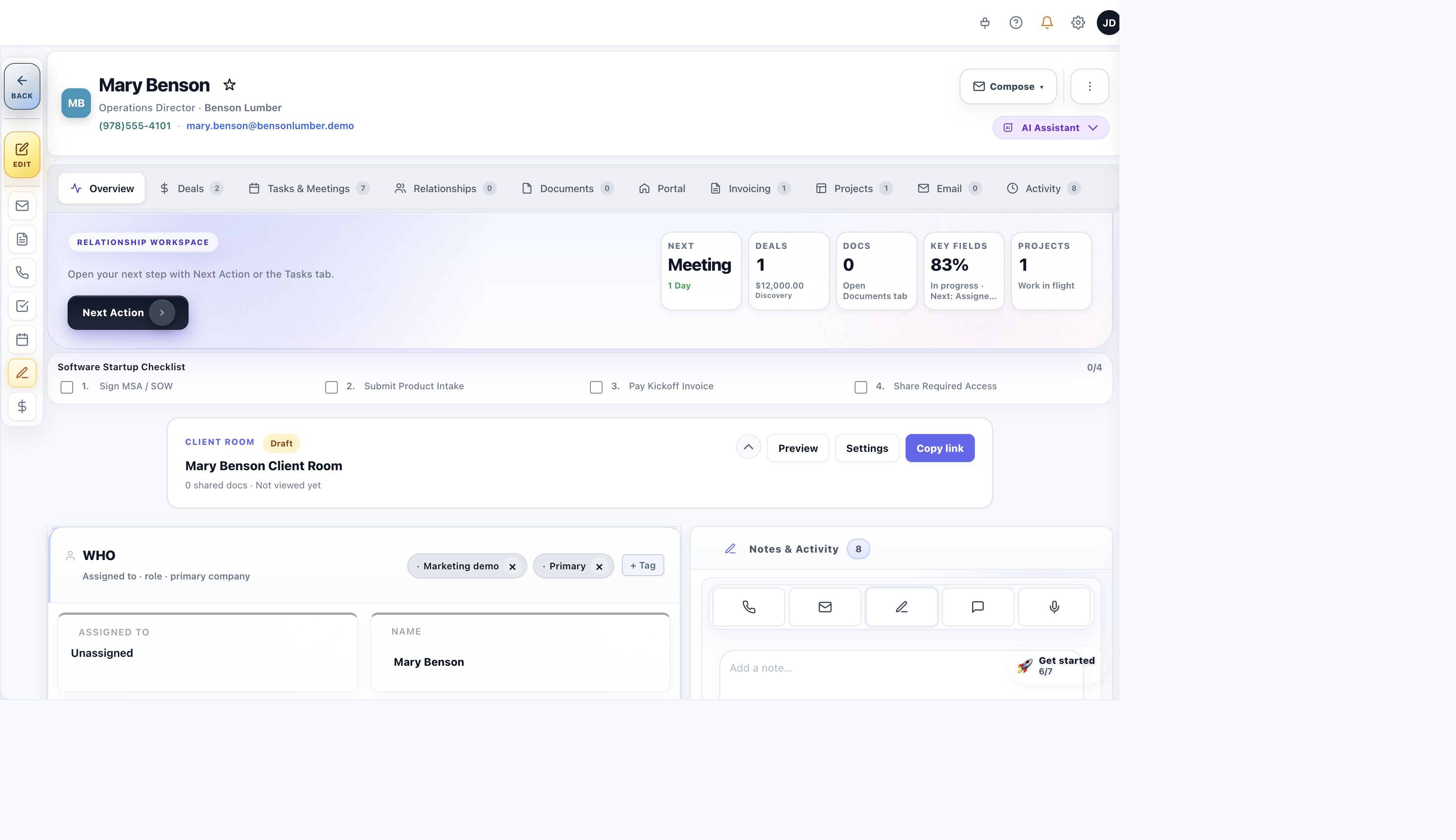
The contact record, with linked deals, activity, and open tasks.
3. Identify the stakeholders and buying roles
The VP of Operations is the champion. The CFO controls the budget. Northstar's IT director will need to review the integration and security. Three people, one deal.
A deal holds a buying committee, not one contact
Add each stakeholder to the opportunity and tag their role — decision maker, champion, technical stakeholder, or whatever your team uses. When a deal has no decision maker identified, deal health flags it, which is usually the earliest signal that a friendly champion has no authority to sign.
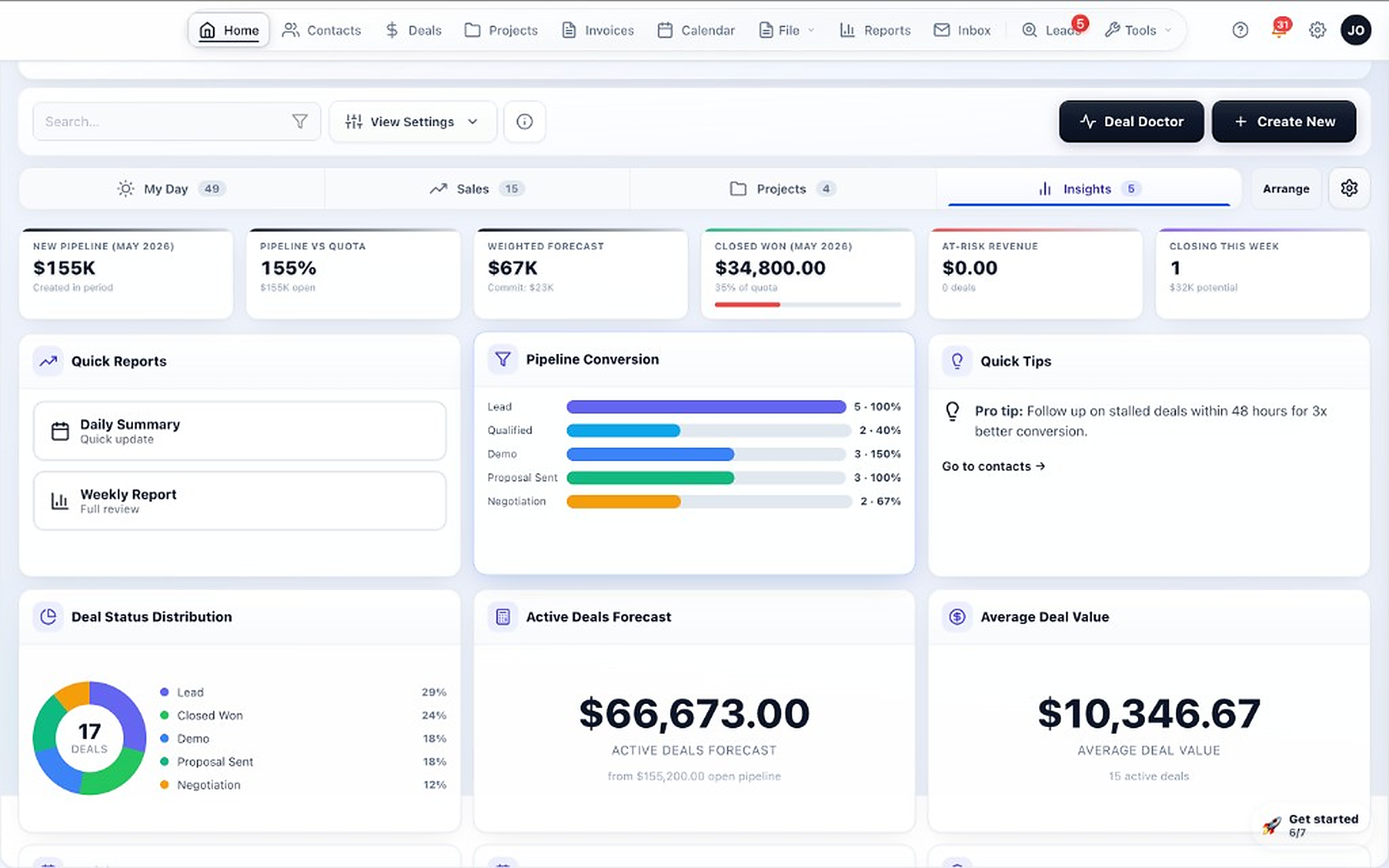
Command Center — pipeline health, weighted forecast, and what needs attention.
4. Schedule discovery and the demo
Discovery on Tuesday with the VP and one analyst. The technical demo the following week, with IT invited.
Meetings live on the deal they belong to
Create the meeting against the opportunity with attendees and a time, and it appears on the calendar alongside tasks and onboarding milestones. Afterward, log what was discussed — or paste or upload a transcript and have it summarized into the deal's history.
TotalDeal does not record calls. Transcripts come from your own meeting tool, pasted in or uploaded.
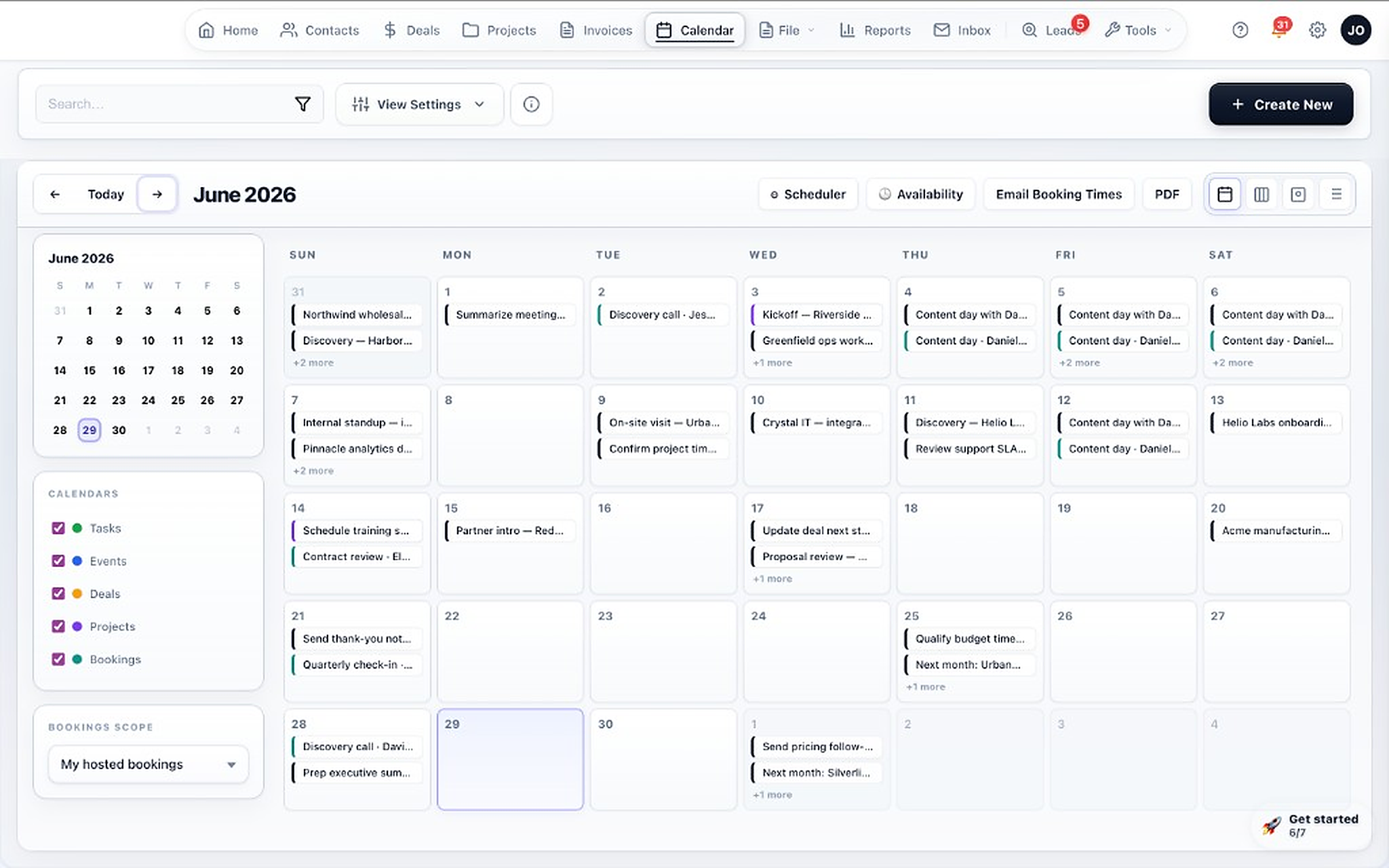
Demos, follow-up tasks, and onboarding milestones on one calendar.
5. Track next actions and communication
The demo goes well. IT wants to see the API documentation. The CFO hasn't been in a meeting yet. The rep books a follow-up for Thursday and logs both open items.
Every deal carries a next action — or it surfaces
Tasks, notes, emails, and meetings all attach to the opportunity, so the full story of the deal reads in one place. The rep's queue shows what's due today and what's overdue across every account they own. A deal with nothing scheduled against it doesn't quietly sit still.
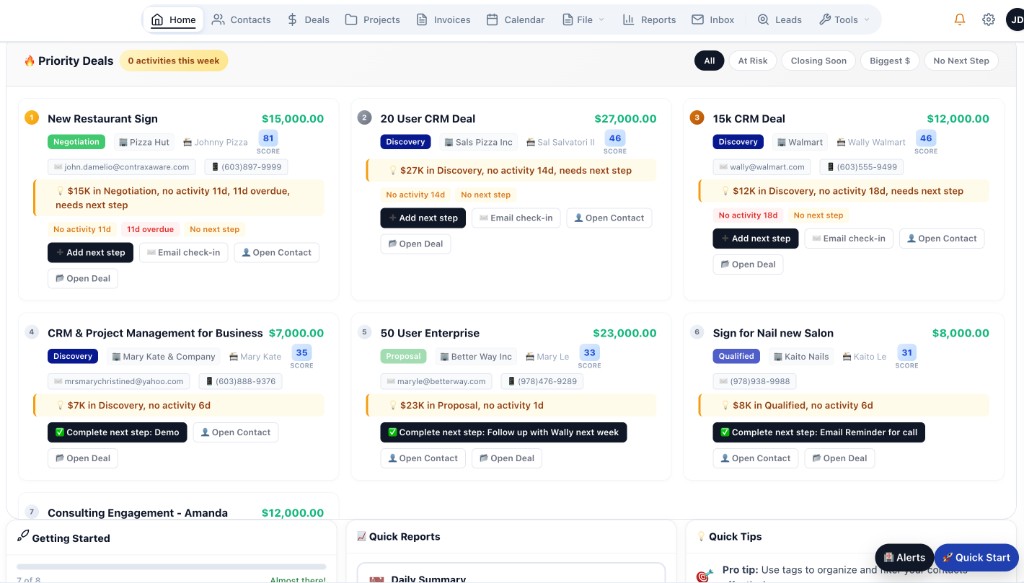
Priority deals, ranked with the reason each one needs attention.
6. Use AI to find what's missing or stalled
Two weeks later the Northstar deal has gone quiet. The rep asks Ask why, and gets a specific answer: no activity in eleven days, no next action scheduled, and the economic buyer still hasn't been engaged.
Ask, in plain English — and it can act
Ask reads your own CRM data to answer questions, explain why a deal is flagged, and take the follow-up action. Deal health scores each opportunity from concrete signals and shows its reasoning, so a flag is something the rep can actually fix.
- What should I do next?
- Which deals have gone quiet?
- Why is this deal stuck?
- Deals over $20,000 missing next action
- Prep me for my call with this deal
- Follow up with him next week
Ask works from the data in your workspace. It does not research companies on the web, record calls, or enrich contacts on its own. Ask, Deal Doctor, and AI Smart Search are included on the Pro plan.
Stalled deals and missing next actions surfaced without anyone running a report.
7. Create and send the proposal or agreement
The CFO joins a call, the numbers hold up, and Meridian sends a proposal: $48,000 annual platform fee, $12,000 implementation, 30-day payment terms.
Build it from what the deal already knows
Proposals and agreements are created from the opportunity, using its company, contacts, pricing, and scope. Reusable templates keep terms consistent across reps. The finished document stays attached to the deal instead of living in someone's sent folder.
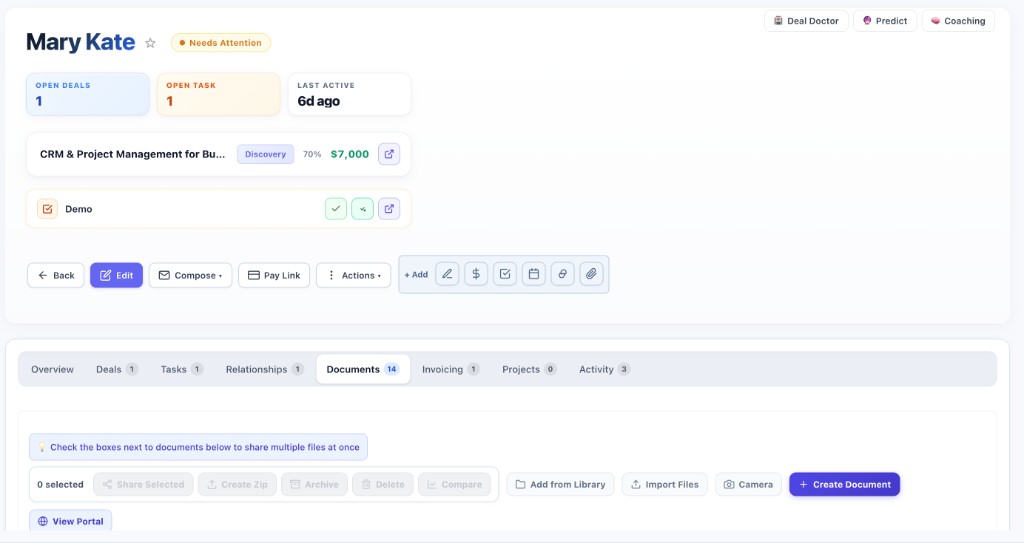
The proposal and supporting documents, attached to the opportunity.
8. Track review, approval, and signature
Northstar opens the proposal twice on Friday. Nobody signs. Monday morning a reminder goes out automatically, and the IT director leaves a comment asking to change the implementation start date.
Know where the document stands without asking
Status moves from sent to viewed to commented to signed, visible to the whole team. Buyers can comment and request changes in the same place they sign. When a proposal has been viewed but not signed, a follow-up reminder can fire on its own.
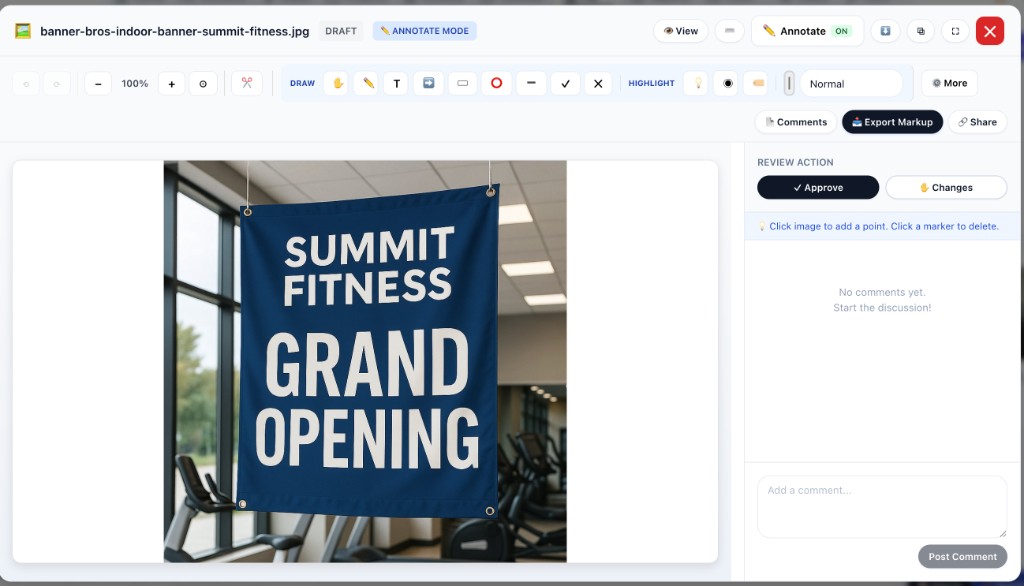
Buyer comments, approval actions, and version status in one view.
9. Mark the opportunity Closed Won
The revised proposal comes back signed on the 14th. The rep moves the deal to Closed Won.
The record of how the deal was won stays intact
Closed Won isn't a status change that clears the desk. The stakeholders, meeting history, requirements, objections, pricing, and the signed agreement all remain on the opportunity — which matters in six months when someone asks what was promised.
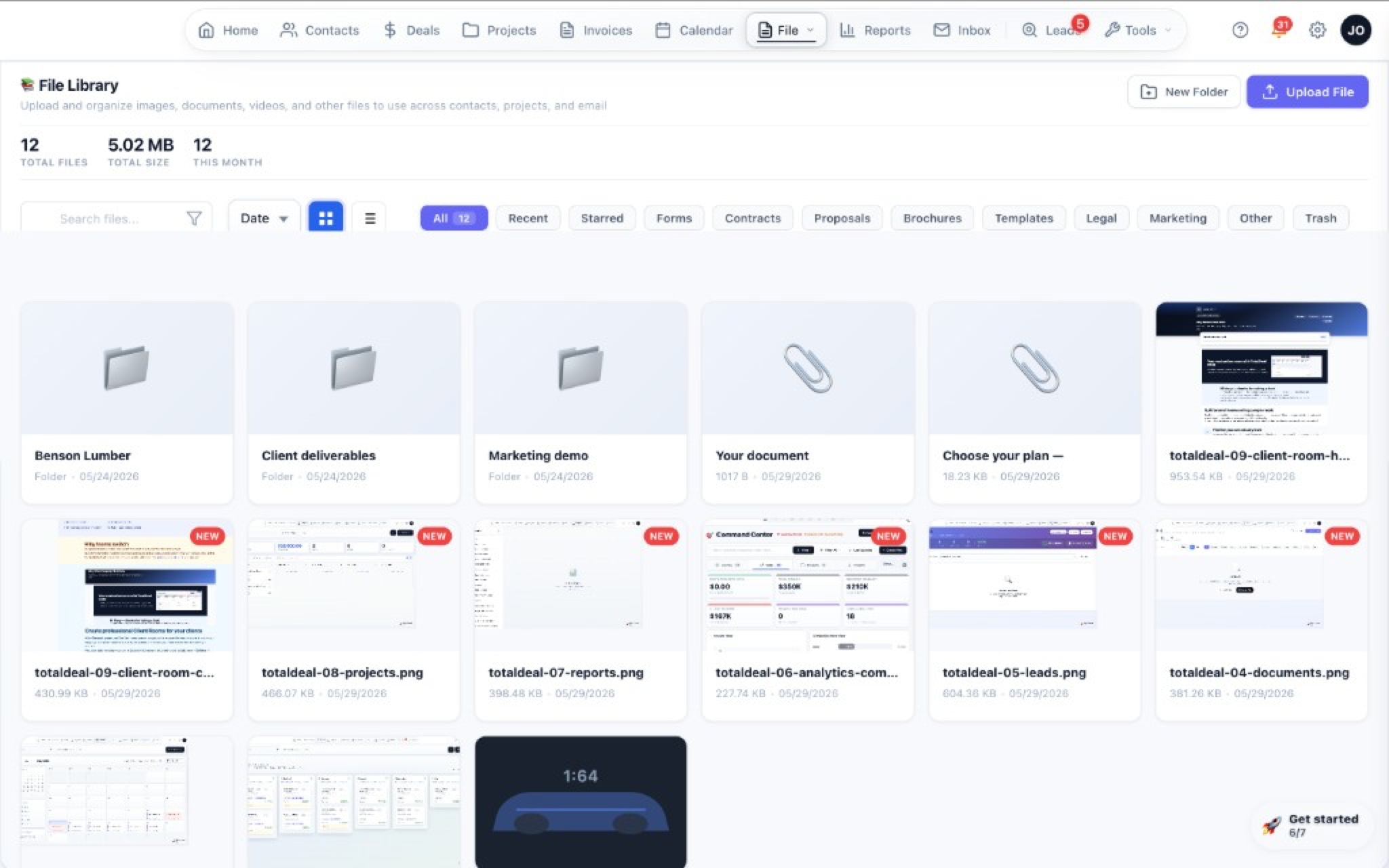
Proposals, agreements, and customer files kept with the account.
10. Convert it into onboarding or implementation
Meridian's implementation lead picks up the account. She doesn't email the rep for a handoff summary, and she doesn't ask Northstar to re-explain their setup — it's all on the record.
Closed Won shouldn't mean starting over
The won deal converts into an onboarding or implementation plan that inherits the account, contacts, owner, and value, and stays linked to the opportunity that created it. For Northstar that means data migration from their spreadsheets, SSO configuration, the integration IT asked about, and two training sessions — each a task with an owner and a date.
Northstar's team gets a client portal to review documents, approve configuration, upload the files Meridian needs from them, and pay invoices. That replaces the thread of attachments most implementations run on.
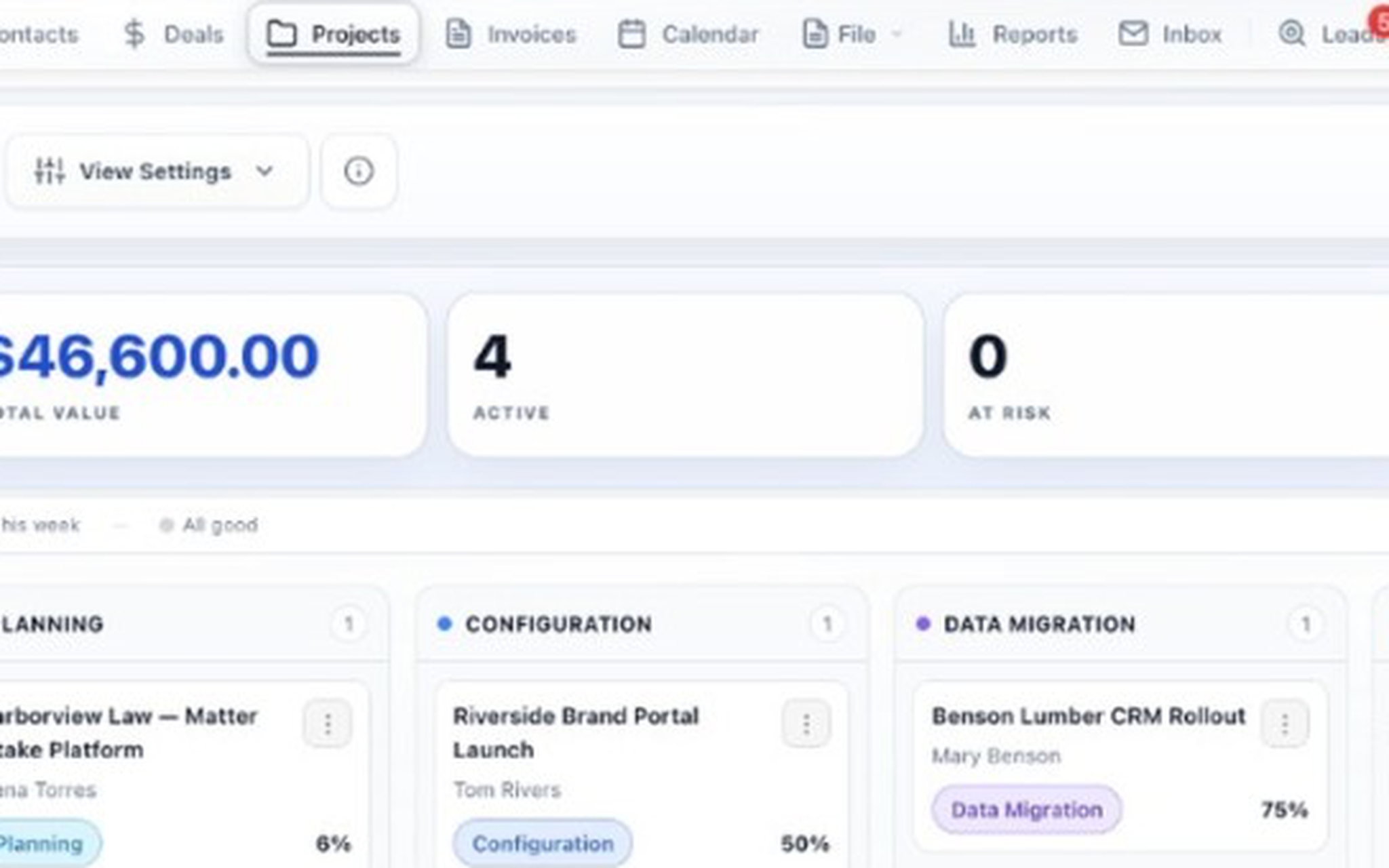
A won deal, converted into an onboarding plan with its context intact.
11. Invoice implementation, annual fees, or services
The $12,000 implementation fee bills at kickoff. The $48,000 annual agreement bills on go-live. Both come straight off the deal, with the line items already there.
Bill what you sold, without re-entering it
Invoices are created from the deal or the onboarding plan — implementation and setup fees, annual agreements, professional services, deposits, and milestones. Send a pay link and collect card or bank payment through Stripe. Sent, viewed, overdue, and paid status stays visible to the team that sold the work.
Optional. TotalDeal is not a subscription-billing platform or an accounting system — keep Stripe Billing and QuickBooks where they belong. Invoicing is included on the Pro plan.
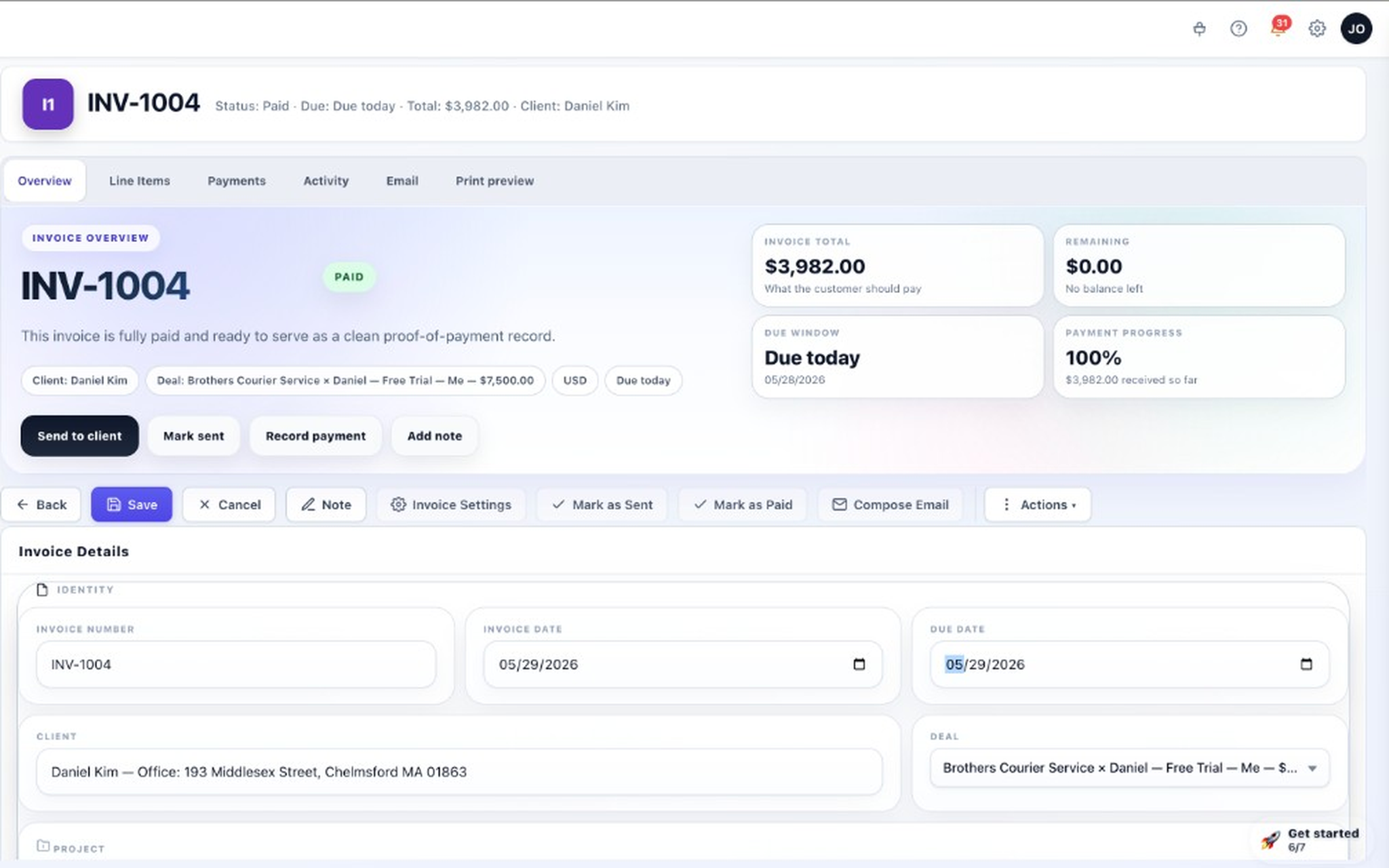
An implementation invoice with line items, payment progress, and the linked customer.
12. Keep the complete customer history connected
A year later, Northstar wants to add two more regions. The rep opens the account and finds everything: the original deal, who signed, what was promised, how the implementation went, and every invoice.
One record, from first form fill to renewal conversation
The account holds the opportunity, the buying committee, every meeting and note, the signed agreement, the onboarding plan and what was delivered, the portal history, and the payment record. An expansion conversation starts from context instead of from a discovery call about your own customer.
There's no dedicated renewal-management module. Expansion is handled by creating a new opportunity on the account, where the full history is already present.
The full customer record — deals, activity, documents, and invoices in one place.
Keep exploring
Where to go next, depending on what you're evaluating.
Comparing alternatives?
Pages for buyers coming from a tool they already know.
See this workflow with your own deals in it
Book a 30-minute walkthrough and we'll map your stages, buying committees, proposals, onboarding handoff, and billing path. Or start free and work a real deal through it yourself.